Sports organizations collect important information across a wide range of workflows. Some inputs need to be quick and repeatable. Others require more structure.
When these workflows rely on separate survey tools, paper forms, PDFs, spreadsheets, and email attachments, information becomes harder to collect consistently, track, and connect to the wider athlete picture.
Forms & Data Collection in iP: Intelligence Platform brings more of this work into one platform, delivered through Operations & Administration (iP Core). It supports recurring athlete check-ins with Athlete Screening and structured documentation with Forms across medical, performance, coaching, development, and operational workflows.
How Athlete Screening and Forms Differ
Different workflows place different demands on the people collecting and providing information.
Athlete Screening
Supports recurring athlete-facing data collection through the Kitman Labs Athlete App and Kiosk.
Performance and medical teams can use it for inputs such as:
- Wellness and readiness
- Session RPE
- Soreness and symptoms
- Body-map selections
- Nutrition and recovery information
- Other recurring athlete check-ins
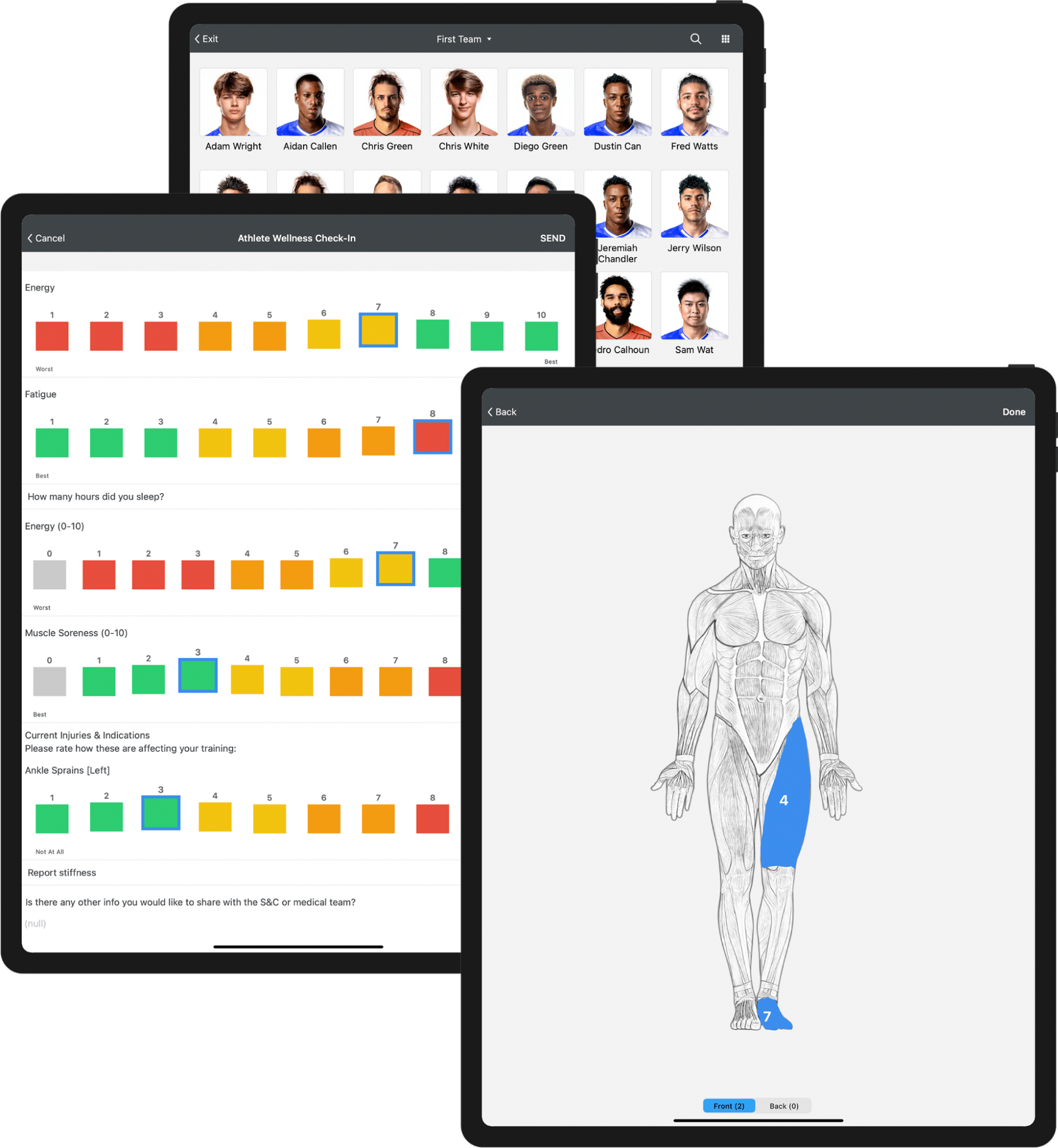
Built-in scales, descriptors, body maps, and reporting make Athlete Screening well suited to information athletes provide regularly.
Forms
Expands the types of structured workflows teams can manage within iP.
Staff can build forms without code, choosing from a range of response types and configuring each form to fit the workflow.
Forms can support workflows such as:
- Medical intake and health-history documentation
- Consent forms and waivers
- Medical consultations and staff-completed assessments
- Individual Development Plan reviews
- Onboarding and offboarding
- Periodic assessments and reviews
- Other medical, performance, coaching, development, and administrative workflows
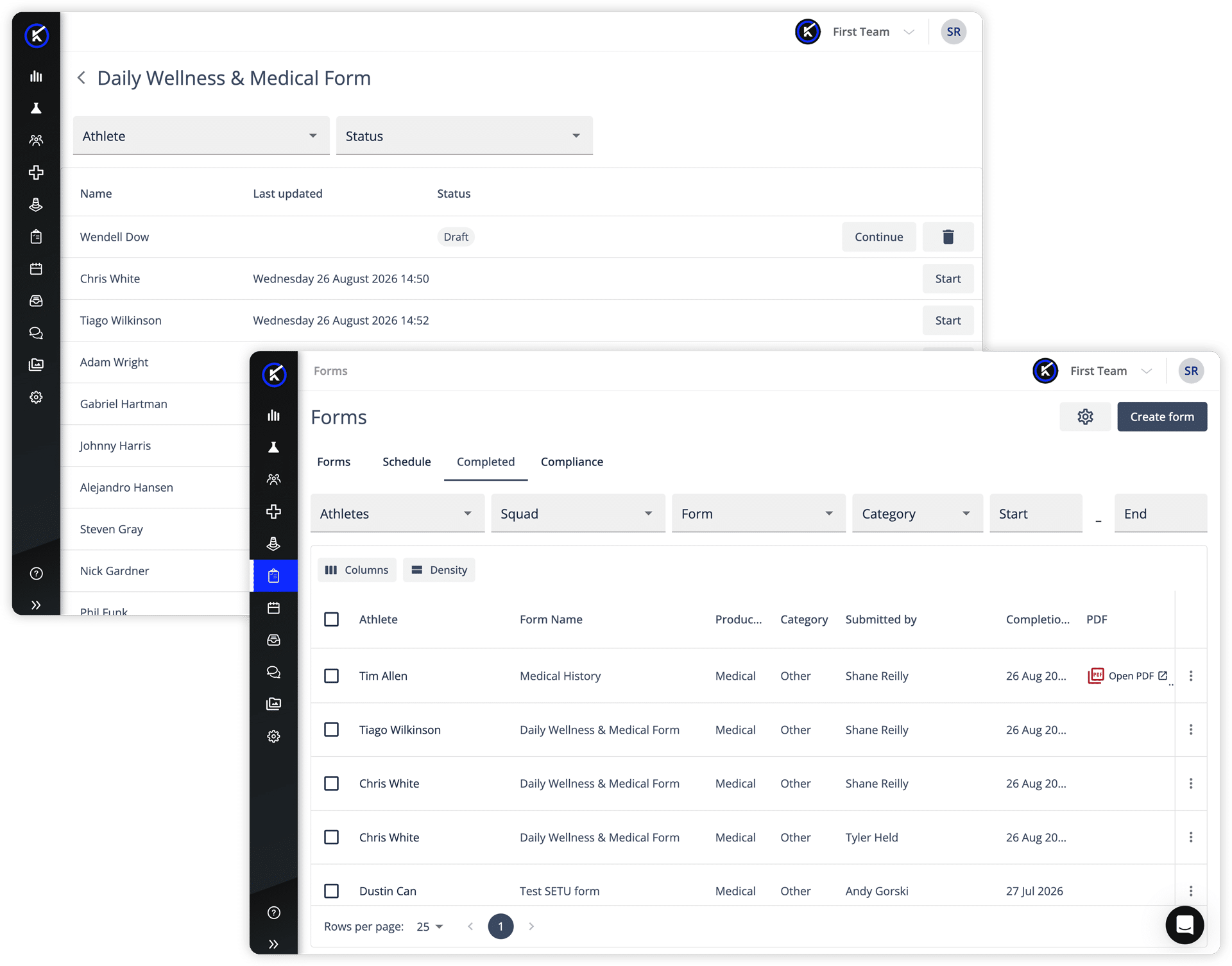
Build More Structured Workflows in iP
Forms goes beyond collecting a set of responses. It helps teams manage the workflow around the information, from creation and completion through follow-up and reporting.
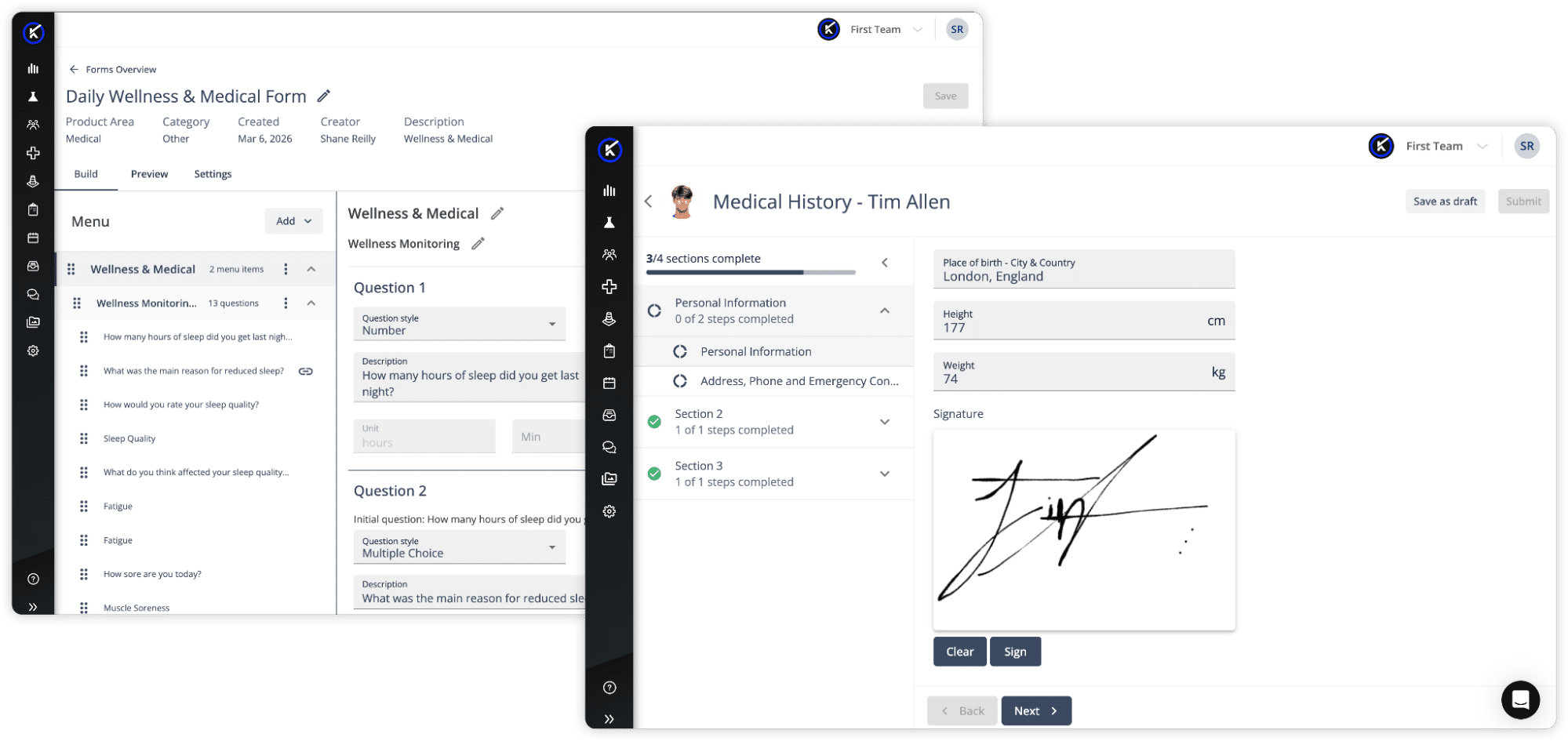
Start from a template
You do not have to build every form from scratch.
A Consent & Waiver template is included with iP Core, so it is available to every organization using iP. Additional templates are available through the Solutions you enable, and the library grows as new workflows are added.
Examples include:
Pre-Season Health Screening and Health History with Performance Medicine, helping medical teams collect health history, questionnaires and physical examination records before pre-season begins.
Return to Play Screening with Performance Medicine or Performance Optimization, giving staff a consistent way to collect and track return to play information.
Individual Development Plan Review with Coaching & Development, helping staff run structured IDP reviews across the season instead of relying on verbal check-ins.
Templates can be used as provided or adjusted to fit how your team works. Staff can also build their own Forms using text, signatures, file attachments, conditional questions and other field types.
Adapt the Form to the Workflow
Conditional logic can show relevant follow-up questions based on earlier responses, helping teams create more focused forms without asking every person the same questions.
Staff can also incorporate instructional content, required fields, supporting documents, and digital signatures where the workflow requires them.
Support Athlete and Staff Completion
Athletes can complete assigned forms through a mobile-responsive web browser on a phone, tablet, or computer.
Auto-save and draft functionality allow athletes to leave longer forms and return without losing progress.
Staff can also complete forms through the web experience when the workflow requires practitioner input, such as documenting an assessment or consultation for an athlete.
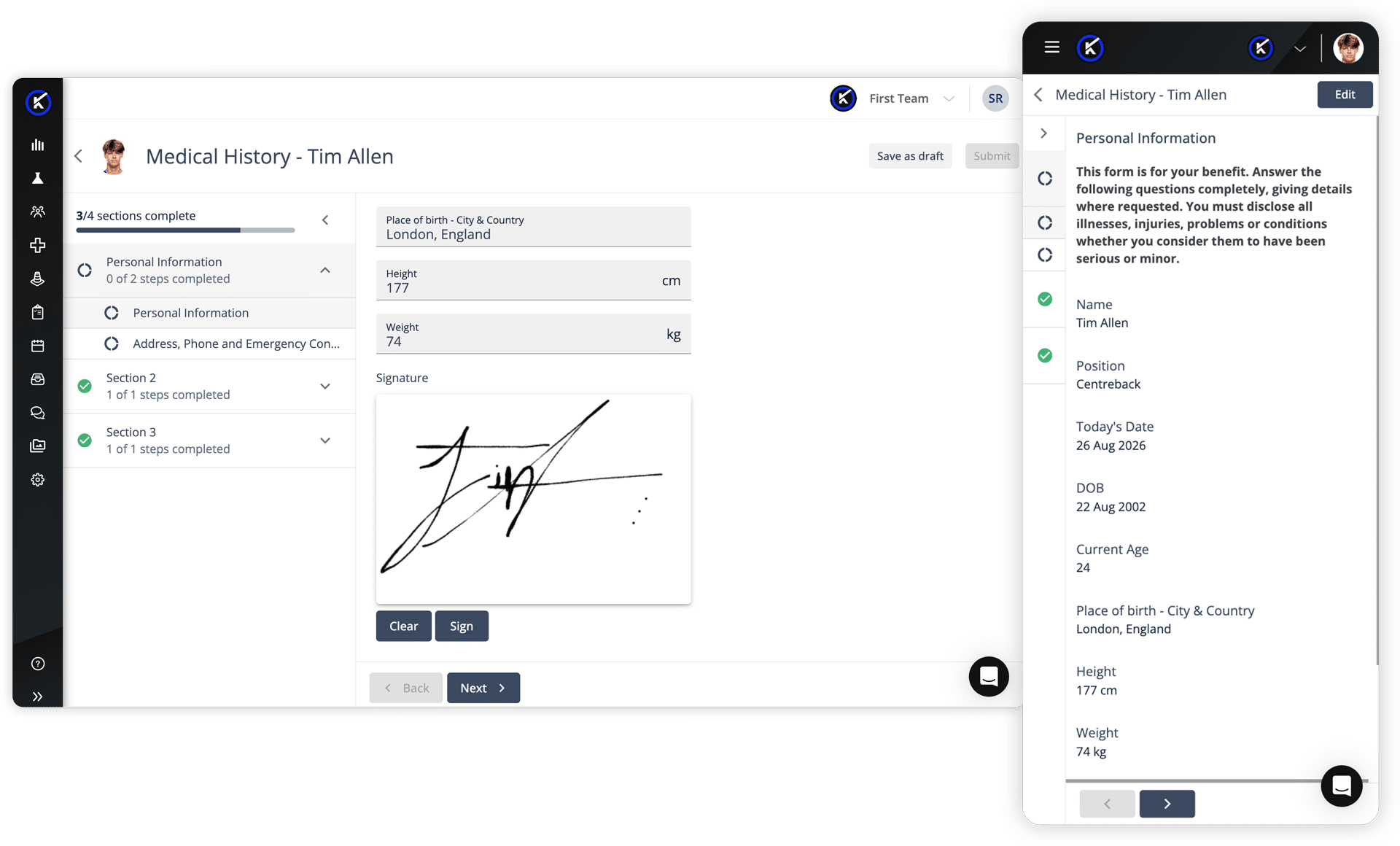
Schedule, Assign, and Organize Collection
Forms can support always-available collection, one-time collection, recurring schedules, and multi-form packets.
That flexibility allows teams to coordinate everything from a single assessment to a larger pre-season intake process containing multiple forms.
Track What Is Complete
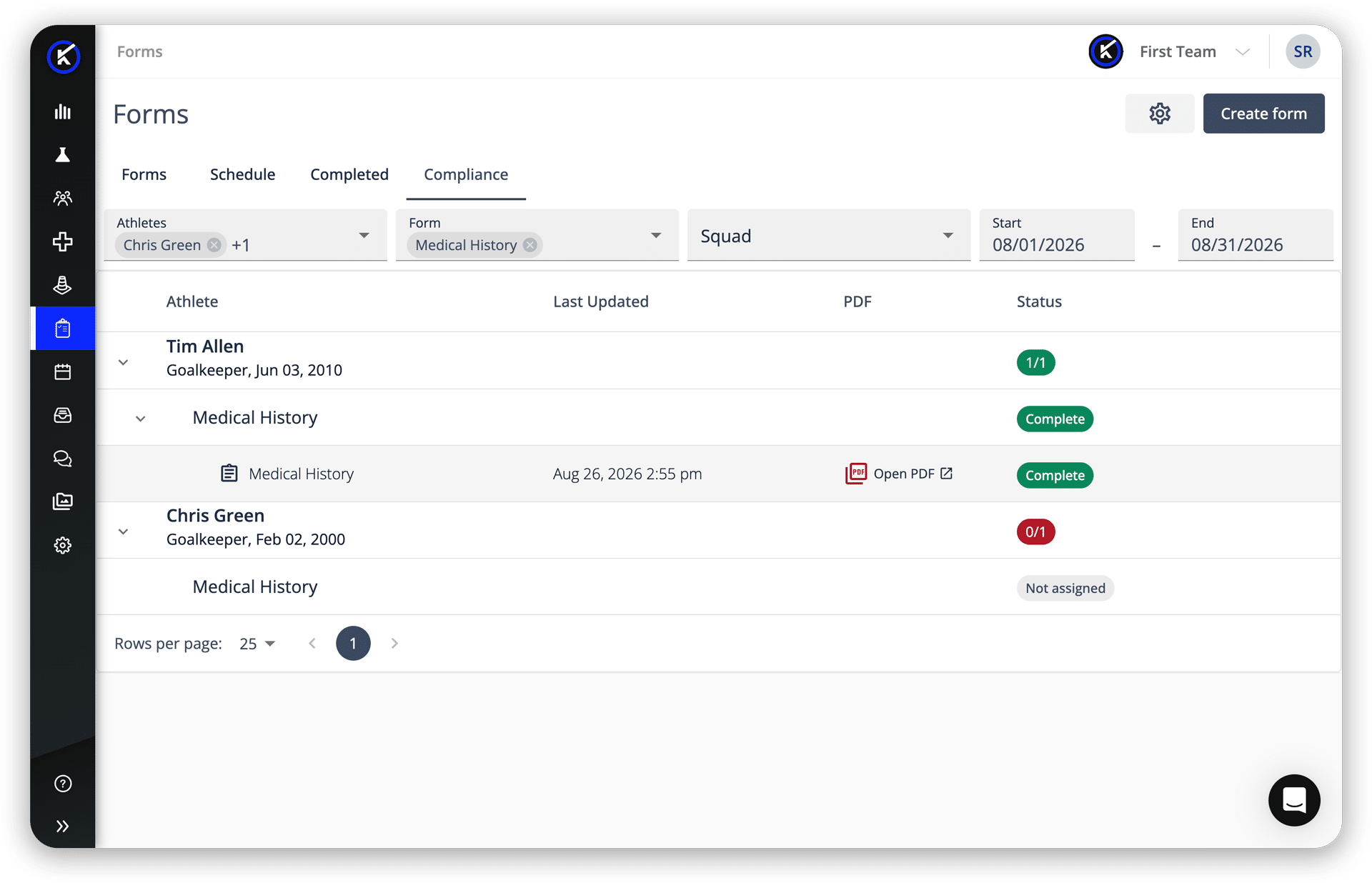
Staff can see who has completed required forms and who remains outstanding.
Configurable email reminders can direct follow-up to incomplete respondents, reducing the need to manually check spreadsheets, inboxes, or separate systems.
For pre-season, health history, questionnaires and consent can be prepared in advance, so medical staff can identify what is still outstanding before athletes arrive.
Manage Access and Report on Responses
Responses can be reviewed and managed under the appropriate iP permissions, with audit history and permission-controlled export supporting more consistent records.
Data collected through Forms can be reported on and visualized in My iP alongside other athlete information.
Bring More Data-Collection Workflows Into iP
From recurring athlete check-ins to structured documentation, teams have a clearer way to collect information, manage completion, control access, and carry responses into reporting through My iP, without relying on disconnected tools.
See how Forms & Data Collection can support workflows across your organization. Request a demo of iP: Intelligence Platform.